
BIP Visualized supports Google sign-in, which lets you log in with your Google account instead of a separate email and password. Connecting your Google account makes logging in faster and removes the need to remember a separate password.
To connect your Google account:
Click your name in the top-right corner and select Profile.
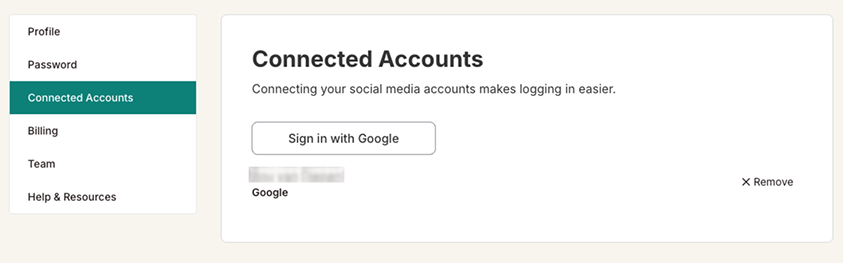
In the left sidebar, click Connected Accounts.
Click Sign in with Google and follow the prompts to authorize the connection.
Once connected, your Google account will appear in the list. You can now log in to BIP Visualized using your Google account.
To remove a connected account:
Go to Connected Accounts (as above).
Find the connected account in the list and click Remove.

Note: Removing a connected Google account means you will need to log in with your email and password instead. Make sure you have a password set before removing Google sign-in.