
BIP Visualized lets you share a completed BIP with teachers, family members, therapists, or any other stakeholders via email. Recipients get read-only access and can view the plan in Present Mode without editing it.
To share a BIP:
From inside the BIP editor, click Share/Download in the top-right toolbar.
In the Share your BIP modal, type one or more email addresses in the field. Separate multiple addresses with commas.
Click the teal Share button. Each person receives an email invitation with a link to the BIP.
Recipients who don't have a BIP Visualized account will be prompted to create a free, read-only account to view the plan.
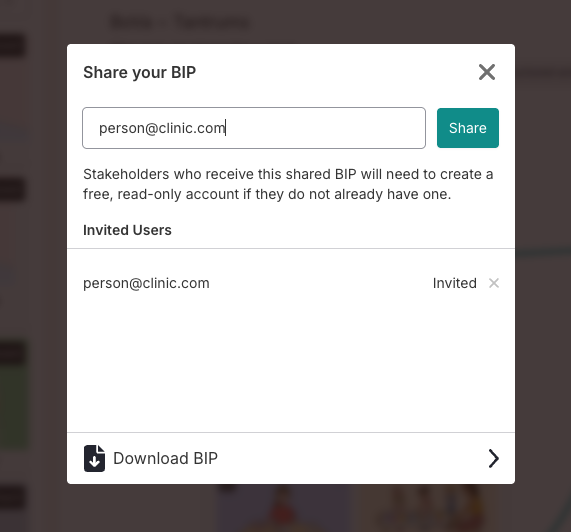
The Invited Users list (below the email field) shows everyone who has been invited and their acceptance status (Pending or Accepted). To remove someone's access, click the × next to their name.
